🏗️ Table Tower – Level Tower Stacking Puzzle Game
Table Tower is a fun and challenging tower stacking puzzle game where players must carefully place and balance blocks to build a stable tower.
The concept is simple, but mastering the game requires timing, precision, concentration, and quick decision-making.
Start with easier levels, learn how the blocks move and behave, and gradually take on more difficult challenges as the tower grows.
With levels, responsive controls, progressive difficulty, and a focus on accuracy, Table Tower is designed to provide a satisfying arcade-puzzle experience on both desktop and mobile devices.
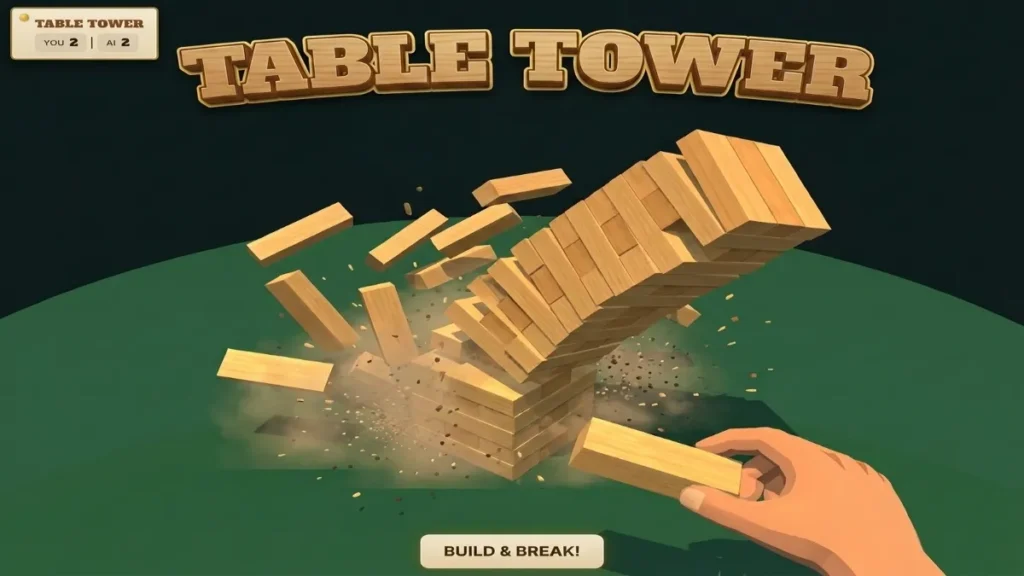
🎮 How to Play Table Tower
Getting started with Table Tower is simple.
You don’t need complicated controls or a long tutorial. The main challenge is learning when and where to place each block.
Step 1: Start the Game
Open Table Tower and select the Play button.
The first level begins with a simple tower setup designed to help you understand the basic mechanics.
🧱 Step 2: Place the Block
A new block appears above or around the tower depending on the level design.
Your goal is to position the block correctly and place it onto the existing structure.
Timing is extremely important.
A well-positioned block creates a stable tower, while a poorly positioned block can make the structure increasingly difficult to manage.
🎯 Step 3: Aim for Accurate Placement
Try to place each block as accurately as possible.
A precise placement can:
- Keep the tower balanced
- Give you more usable space
- Make later placements easier
- Help you achieve a higher score
- Improve your level performance
Don’t rush.
Good timing is more important than speed.
🏗️ Step 4: Build the Tower Higher
Each successful placement increases the height of your tower.
As you progress, the tower becomes taller and the challenge increases.
Your objective is to complete the level without causing the tower to collapse or failing the required placement.
The higher you build, the more carefully you need to plan your next move.
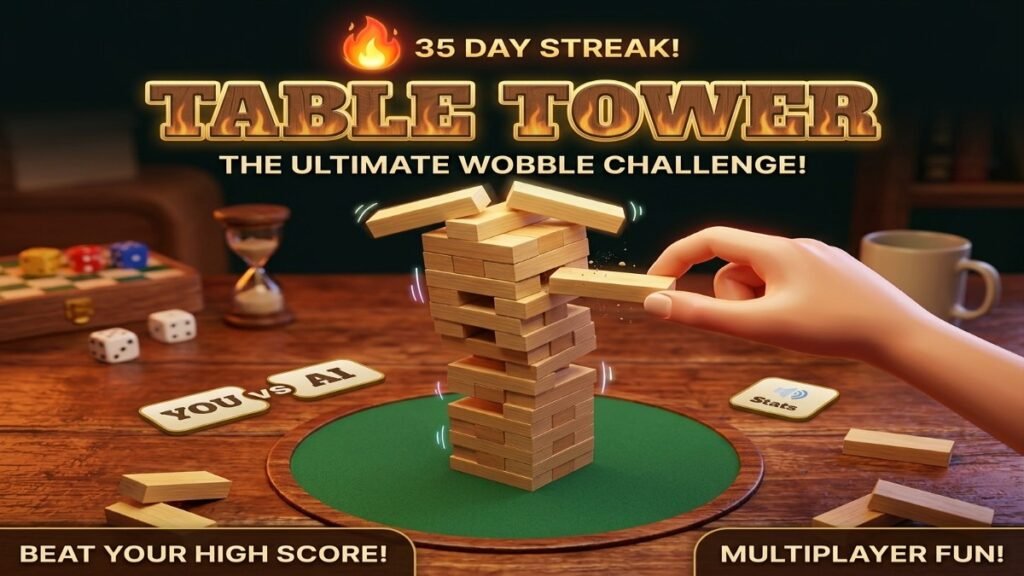
⭐ Step 5: Complete the Level
Successfully complete the required tower challenge to move to the next level.
The early levels introduce the mechanics gradually, while later levels demand more precise timing and better control.
This progressive structure helps new players learn naturally without making the game difficult immediately.
🚀 50+ Challenging Levels
Table Tower is designed around 50+ levels, giving players a progression system instead of a single repetitive challenge.
🟢 Beginner Levels
The first levels are designed to teach the basics.
Players can learn:
- Block movement
- Timing
- Placement
- Tower balance
- Basic controls
These levels should feel accessible even for new players.
🟡 Intermediate Levels
As you progress, the game starts introducing more challenging situations.
You may need to:
- React faster
- Place blocks more accurately
- Manage smaller placement areas
- Maintain better balance
- Plan your next move
🔴 Advanced Levels
Advanced levels require greater concentration.
Small mistakes can have a bigger effect on the tower.
Players need to combine:
Timing + Precision + Patience
to continue progressing.
🟣 Expert Levels
The highest levels are designed for players who have mastered the basic mechanics.
These challenges can test:
- Reaction speed
- Precision
- Consistency
- Concentration
- Strategic placement
Completing the hardest levels can become a major achievement for dedicated players.
📈 Progressive Difficulty
One of the most important features of Table Tower is its progressive difficulty.
Instead of making the game extremely difficult from the beginning, the challenge increases gradually.
Possible difficulty changes include:
- Faster block movement
- Smaller placement areas
- More complex layouts
- Increased timing requirements
- Less room for mistakes
- More demanding tower structures
This keeps the gameplay accessible while still giving experienced players a reason to continue.
🧠 Why Table Tower Is Challenging
Table Tower may look simple at first.
However, the challenge comes from controlling your timing and maintaining accuracy.
A single poorly positioned block can affect your next move.
This creates a simple but engaging gameplay loop:
Watch → Aim → Time → Place → Balance → Repeat
As the tower grows, players must remain focused.
🏆 Score and High Score
Table Tower can include a high-score system that encourages players to replay completed levels and improve their performance.
Track statistics such as:
- Current Score
- Best Score
- Highest Tower
- Levels Completed
- Perfect Placements
- Total Games Played
- Best Combo
Try to beat your personal record with every new attempt.
🔥 Perfect Placement Challenge
Accuracy should be rewarded in Table Tower.
When a player places a block with excellent precision, the game can display a Perfect notification.
Perfect placements can provide:
- Bonus points
- Combo increases
- Special animation
- Particle effects
- Extra satisfaction
Chaining multiple accurate placements together can create a powerful combo system.
🔥 Combo System
A combo system gives skilled players another way to improve their score.
For example:
Perfect → Perfect → Perfect → Perfect
can create a growing multiplier.
The better your placement accuracy, the higher your potential score.
This gives experienced players an additional challenge beyond simply completing levels.
🎮 Simple Controls
Table Tower should be easy to control on any device.
Desktop Controls
- Mouse Click – Place/drop block
- Spacebar – Place/drop block
Mobile Controls
- Tap – Place/drop block
The simple control system allows players to focus on timing rather than complicated button combinations.
📱 Play Table Tower on Mobile
Table Tower is designed to work smoothly on mobile devices.
The responsive interface can support:
- 📱 Smartphones
- 📲 Tablets
- 💻 Laptops
- 🖥️ Desktop computers
The game should automatically adapt to different screen sizes while keeping the tower centered and the controls easy to access.
💻 Desktop Gameplay
Desktop players can enjoy Table Tower using a mouse or keyboard.
The larger screen provides a clear view of the tower and makes it easier to observe block movement.
For quick gameplay, players can simply use the mouse or Spacebar to place each block.
🎨 Table Tower Visual Style
Table Tower works especially well with a clean, polished arcade-puzzle visual style.
Recommended visual elements include:
- 3D or pseudo-3D blocks
- Smooth lighting
- Rounded UI panels
- Clean backgrounds
- Attractive tower effects
- Soft shadows
- Particle effects
- Smooth transitions
- Level-complete animations
- Responsive interface
A polished visual presentation helps make each successful placement feel satisfying.
✨ Game Animations
Animations can make Table Tower feel much more responsive.
Recommended animations include:
- Block movement
- Block placement
- Tower movement
- Perfect placement effect
- Particle effects
- Camera movement
- Score animation
- Level-complete animation
- Failure animation
- Button hover effects
- Screen transitions
Small effects can make a simple stacking mechanic feel much more professional.
🎵 Sound Effects
Sound effects can provide instant feedback.
Recommended sounds include:
Block Placement
A satisfying sound when the block lands.
Perfect Placement
A special sound for highly accurate placement.
Combo
A different sound when the combo increases.
Level Complete
A short celebration sound after completing a level.
Game Over
A subtle sound when the tower challenge ends.
Players should also have the ability to control or mute game sounds.
🏅 Level Completion
After successfully completing a level, show a clear results screen.
For example:
🎉 Level Complete!
Score: 850
Best: 1,240
Perfects: 8
Combo: x5
Buttons
Next Level
Retry
Main Menu
This makes the progression easy to understand.
💀 Game Over
If the tower becomes unstable or the player fails the required challenge, display a Game Over screen.
GAME OVER
Final Score: 720
Best Score: 1,240
Tower Height: 24
Perfect Placements: 5
Highest Combo: x4
Then provide:
🔄 Retry
Play the level again.
🏠 Main Menu
Return to the main menu.
🏆 Leaderboard
View your best scores.
🏆 Table Tower Leaderboard
A leaderboard can add an extra competitive element to the game.
Example:
| Rank | Player | Score | Height | Perfects |
|---|---|---|---|---|
| 🥇 1 | Player One | 5,240 | 86 | 42 |
| 🥈 2 | Player Two | 4,890 | 79 | 36 |
| 🥉 3 | Player Three | 4,450 | 72 | 31 |
Players can compete to reach the top of the leaderboard.
If your implementation stores scores locally, describe it as a local leaderboard rather than implying a global online ranking.
📅 Daily Challenge
A Daily Challenge can give players a reason to return every day.
Each day can feature a special tower challenge with a unique objective.
Examples:
- Complete a specific level
- Achieve 10 Perfect placements
- Reach a target score
- Build a tower without a major mistake
- Complete a challenge within a limited number of moves
A daily challenge can make the game feel fresh even after players have completed the regular levels.
🔥 Daily Streak
Players can also be encouraged to maintain a daily streak.
For example:
Day 1 → Day 2 → Day 3 → Day 7
Longer streaks can unlock:
- Bonus points
- Special effects
- Cosmetic rewards
- Achievement badges
This gives players another reason to come back and play Table Tower regularly.
🏅 Achievements
Table Tower can include achievements for different milestones.
Examples:
🧱 First Tower
Complete your first level.
🎯 Perfect Builder
Perform 10 Perfect placements.
🔥 Combo Master
Reach a high combo.
🏗️ Tower Expert
Complete 25 levels.
👑 Tower Master
Complete all available levels.
💯 Precision Player
Achieve a high number of accurate placements.
💡 Tips and Tricks to Master Table Tower
1. Don’t Rush
The biggest mistake beginners make is placing a block too quickly.
Watch its movement before deciding when to place it.
2. Focus on the Previous Block
The top block is your main reference point.
Use it to judge the correct position for the next block.
3. Aim for the Center
When possible, try to place the block near the center.
A centered tower generally gives you more room for future placements.
4. Watch the Movement Pattern
Pay attention to how the block moves.
Once you understand its rhythm, predicting the correct placement becomes easier.
5. Prioritize Accuracy
Don’t sacrifice accuracy just to build faster.
A carefully placed block can make the next move much easier.
6. Build Your Combo
Once you’re comfortable with the controls, start focusing on Perfect placements.
Longer combos can help increase your score.
7. Practice Difficult Levels
If you fail a level, don’t immediately give up.
Replay it and learn exactly where your previous placement went wrong.
🧩 What Makes Table Tower Fun?
Table Tower combines several simple game mechanics into one easy-to-understand experience.
Easy Controls
You can learn the basic controls in seconds.
Increasing Challenge
The game becomes more demanding as you progress.
Skill-Based Gameplay
Better timing and accuracy lead to better results.
Replayability
Players can replay levels to improve their score.
Progression
50+ levels provide a long-term objective.
High Scores
Players can compete against their own records.
🌟 Why Play Table Tower?
Table Tower is a great choice for players who enjoy casual puzzle games, tower stacking challenges, arcade games, and timing-based gameplay.
The game offers:
- 🏗️ 50+ challenging levels
- 🎯 Precision-based gameplay
- 🧱 Block stacking mechanics
- 🔥 Combo system
- 🏆 High-score challenges
- 📅 Daily challenges
- 🏅 Achievements
- 📱 Mobile support
- 💻 Desktop support
- 🎨 Polished visuals
- ⚡ Smooth animations
- 🎮 Simple controls
The basic appeal of stacking games is their simple control scheme combined with increasingly difficult timing and precision requirements. Similar browser-based stacking games use tap/click/keyboard controls and progressively faster or more demanding placements.